Linux and the Shell: Processes, Files, Pipes, Permissions and Signals
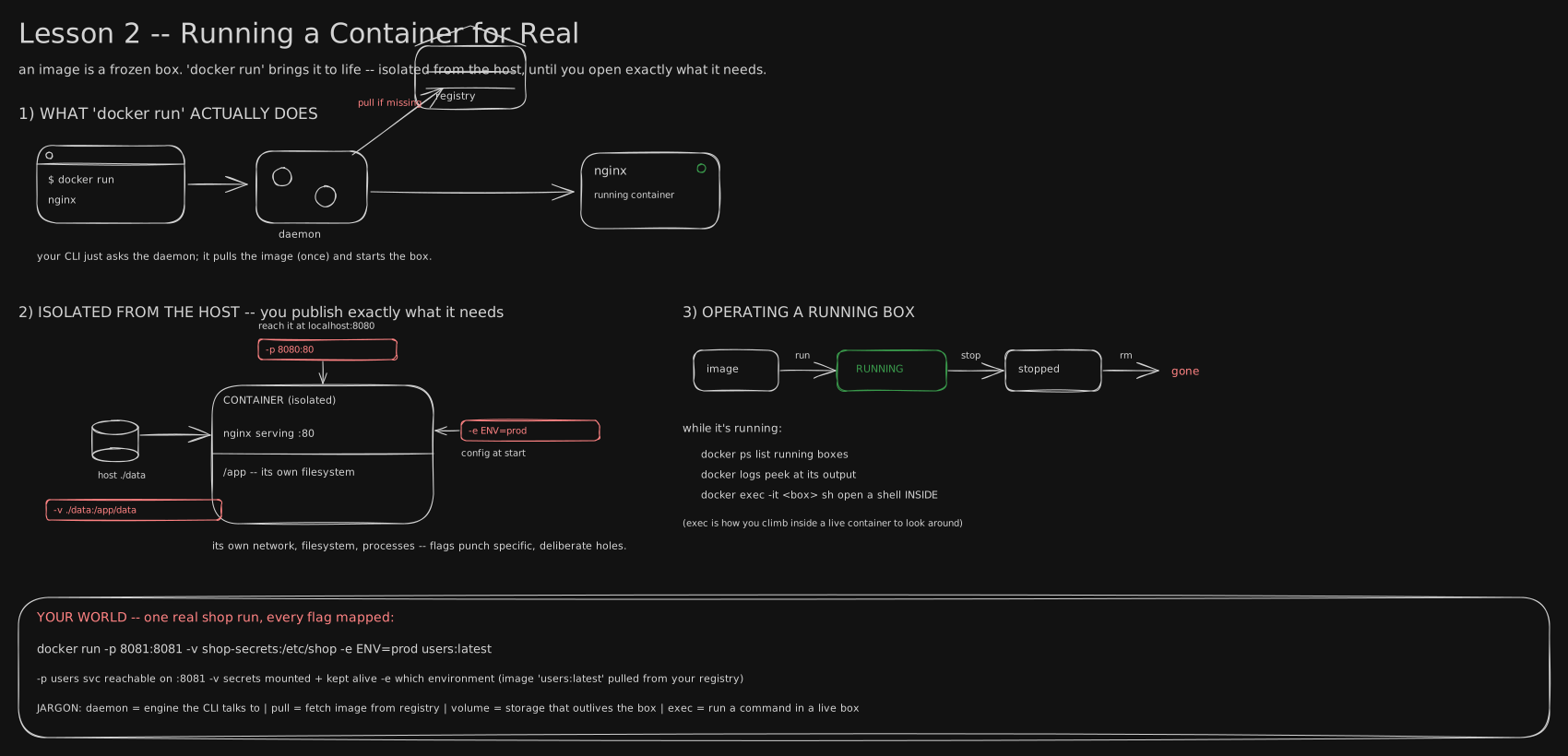
The board shows docker run switching a sealed box on. This lesson is about the ordinary Linux machinery that box runs on, and the one detail of it that decides whether docker stop takes half a second or ten.
Before you start. Read Processes, Threads & the Kernel and Running a Container for Real first, or take these two sentences from them. From the first: the kernel is the one program that owns the real machine, and every running program is a process it manages, each with its own number and its own walled-off memory. From the second: a container is just an ordinary process that the kernel gives a private view of the machine, so inside it that process sees itself as process number 1.
2017: a flag to fix a ten-second wait
People kept meeting the same puzzle. You type docker stop, the command that asks a running container to shut down, and it takes exactly ten seconds to die. Not nine, not eleven. Nothing is broken, the app is idle, and still it hangs, then vanishes mid-request with the error number 137.
On 18 January 2017 Docker shipped version 1.13 with a new option for docker run, called --init. It starts a tiny helper program, tini, in front of your app, and it makes that ten-second wait go away. By the end of this lesson you will know why a helper in front fixes it.
The answer is not in Docker. It is in four old ideas of Linux: processes, files, permissions, and the notes the kernel slides under a process’s door. One picture carries all four: a block of flats.
A process is a tenant with a flat number
Think of the machine as a block of flats. The kernel is the building manager. Every running program is a tenant, and the manager gives each tenant a flat number the moment it moves in. You have met the tenant already: it is a process, and the flat number is its process id.
On a MacBook, sleep 100 & moved a tenant in and the shell printed its number, 55349. A tenant never touches the building’s pipes and wiring itself. It asks the manager for everything.
File descriptors: the numbered slots in the door
Every flat door has a row of small numbered slots. Slot 0 is where things come in. Slot 1 is where the tenant pushes its normal output. Slot 2 is where it pushes complaints. When the tenant opens anything else, the manager cuts a new slot, 3, then 4, and hands back only the number.
The trick is that the tenant never knows what is behind a slot. It could be a file on disk, your screen, a network connection, or another tenant. The tenant just writes into slot 1. That is the Unix saying “everything is a file”: everything a process talks to looks the same from inside the door. A numbered slot like this is a file descriptor.
You use file descriptors every day without the name. ls /nope > out.txt 2> err.txt sends slot 1 to one file and slot 2 to another. The error lands in err.txt and out.txt stays empty, because the complaint went out of slot 2, not slot 1.
Pipes: a chute from one door to the next
Now connect two doors. The manager fits a chute from tenant A’s slot 1 straight into tenant B’s slot 0. Whatever A pushes out, B receives, and neither knows the other exists. That chute is a pipe, and the | character in the shell builds one.
flowchart LR
  P["printf: four lines"] -->|"slot 1 into the pipe"| S["sort"]
  S -->|"slot 1 into the pipe"| U["uniq -c"]
  U -->|"slot 1 to the screen"| O["2 a, 1 b, 1 c"]
printf 'b\na\nc\na\n' | sort | uniq -c printed 2 a, 1 b, 1 c when run on 2026-09-27. Three small tenants, two chutes, and none of them had to know what the others did. Each pipe is just a file descriptor, so the pipe works because the file descriptor idea works.
Permissions: who holds which key, and why 777 hands every key to everyone
Flats have locks. Each file has one owner, one household it belongs to (its group), and then everybody else in the building. For each of those three rings the lock says three things: may they read it, may they write it, may they run it. That is nine yes-or-no switches, and ls -l prints them as nine letters, rw-r--r--: owner reads and writes, household reads, everyone else reads. These switches are the file’s permissions, usually written as three digits where read is 4, write is 2, run is 1.
So chmod 777 means 7, 7, 7: every ring may read, write and run. It is not “fix the error”. It is handing a key to every stranger in the building. In a container on 2026-09-27, a file was set to 777, and a brand new user called stranger appended the word pwned to it. Set back to 600, owner only, the same stranger got Permission denied. The right fix is almost always to give the one tenant who needs access the key, not everyone.
Signals: the note under the door, and the crew that needs no note
Sometimes the manager must tell a tenant something right now: the user pressed Ctrl-C, or it is time to leave. The manager does this by sliding a small numbered note under the door. That note is a signal. The tenant can decide in advance what to do with each kind of note: ignore it, or tidy up and leave.
Two notes matter most. SIGTERM, number 15, is the polite one: “please pack up and go”. SIGKILL, number 9, is not a note at all. The manager sends in the removal crew, and the tenant gets no say. On the same MacBook, a sleep sent SIGTERM ended with exit code 143, and one sent SIGKILL ended with 137. A process killed by signal n reports 128 plus n, so 128 + 15 = 143 and 128 + 9 = 137.
That is what docker stop does. It slides SIGTERM under the door, waits ten seconds, then sends the crew with SIGKILL. The ten seconds and the 137 from the opening are the crew arriving.
PID 1: the head tenant who throws notes away
So why would a polite note ever be ignored? Inside a container, the first tenant is flat number 1, the head tenant, called PID 1. The manager has one special rule for PID 1: a note is only delivered if PID 1 has said in advance “I read notes of this kind”. If it never said so, the note is thrown in the bin.
Most apps never say so, because on a normal machine they do not need to. So the app sits as PID 1, SIGTERM goes in the bin, ten seconds pass, and the crew arrives. Worse is a shell script that starts your app and waits for it. Then the shell is PID 1. It throws the note away, and your app, the one that knew how to tidy up, never even hears it.
Measured on 2026-09-27 on a MacBook’s Docker, a container whose PID 1 was a wrapper shell script took 10.4 s to stop and exited 137. The same app, started so that it was PID 1 itself, stopped in 0.5 s and exited 0 after saying “got SIGTERM, closing up”.
The fix: let the app be PID 1, or hire a doorman
There are two fixes. The first: make your app the head tenant. In a Dockerfile, write CMD ["/app.sh"] with brackets, which starts the app directly, instead of CMD /app.sh | tee log, which starts a shell first. In a wrapper script, end with exec /app.sh, which hands the flat to your app under the same number 1.
The second is the 2017 flag. docker run --init puts tini in as PID 1, a doorman who reads every note and passes it on to the tenant behind it. A bare sleep with --init stopped in 0.4 s instead of 10.4 s. The doorman makes the stop fast, but it passes the note to only one tenant, so if that tenant is a shell, your app can still miss it. Being PID 1 yourself is the fix that always lets the app tidy up.
You now know
- A running program is a process, and the kernel gives each one a number; inside a container the first process is number 1.
- A process reaches everything it has open (files, the screen, other programs) through small numbered file descriptors: 0 in, 1 out, 2 errors.
- A pipe (
|) connects one process’s output descriptor to the next one’s input, so small programs chain without knowing about each other. - File permissions are read, write and run for the owner, the group and everyone else;
chmod 777gives read, write and run access to every user on the machine. docker stopsends SIGTERM, waits ten seconds, then sends SIGKILL; a PID 1 that never asked to receive SIGTERM makes every stop take the full ten seconds.- Make your app PID 1 (exec-form
CMD, orexecin the entrypoint script) or run withdocker run --init.
Stop here if you want. What follows is the same block of flats with every command and number, for when you want to see it run.
Second read: the commands, and the stop timings measured
Everything below was run on 2026-09-27 on a MacBook, in zsh, with Docker (OrbStack, Docker 29.4.0) and the alpine:3.20 image. The Linux-only parts (/proc, adduser) ran inside alpine containers. Process ids, pipe numbers and exact times are one run on one machine; yours will differ. Only the relationships carry over.
Signals and exit codes. A process killed by a signal exits with 128 plus the signal’s number.
$ sleep 100 & P=$!; echo "started sleep as $P"; kill -TERM $P; wait $P; echo "exit code: $?"
started sleep as 55349
exit code: 143
$ sleep 100 & P=$!; kill -KILL $P; wait $P; echo "exit code: $?"
exit code: 137
143 is 128 + 15 (SIGTERM). 137 is 128 + 9 (SIGKILL). When a container exits 137, something killed it with SIGKILL: the memory limit from Running a Container for Real, or docker stop running out of patience.
Catching a signal with trap. trap is how a shell script says “I read notes of this kind”. The code it names is the signal’s handler. trap '' TERM installs an empty handler, which means “ignore it”.
$ cat polite.sh
#!/bin/sh
trap 'echo "got SIGTERM, finishing the current job"; exit 0' TERM
echo "working as PID $$"
while true; do sleep 1; done
$ ./polite.sh & P=$!; sleep 2; kill -TERM $P; wait $P; echo "exit code: $?"
working as PID 56500
got SIGTERM, finishing the current job
exit code: 0
$ cat stubborn.sh
#!/bin/sh
trap '' TERM
echo "ignoring SIGTERM as PID $$"
while true; do sleep 1; done
$ ./stubborn.sh & P=$!; sleep 2; kill -TERM $P; sleep 3; ps -p $P -o pid=,command=; kill -KILL $P; wait $P; echo "exit code: $?"
ignoring SIGTERM as PID 57203
57203 /bin/sh ./stubborn.sh
exit code: 137Three seconds after SIGTERM the stubborn script is still alive. SIGKILL cannot be trapped, so it ends it, exit 137.
File descriptors, as the kernel lists them. On Linux, /proc/<pid>/fd/ holds one entry per open descriptor. Here a shell opens one file for reading as descriptor 3 and one for writing as descriptor 4:
$ docker run --rm alpine:3.20 sh -c 'exec 3< /etc/os-release 4> /tmp/log.txt; for n in 0 1 2 3 4; do echo "$n -> $(readlink /proc/$$/fd/$n)"; done'
0 -> /dev/null
1 -> pipe:[62331]
2 -> pipe:[62332]
3 -> /etc/os-release
4 -> /tmp/log.txt
Descriptors 1 and 2 point at pipes, not a screen: Docker collects a detached container’s output through pipes, which is where docker logs reads from. The process cannot tell and does not care.
A pipe, seen from both ends. Two sleeps joined by |:
$ docker run --rm alpine:3.20 sh -c 'sleep 30 | sleep 31 & sleep 0.5; for p in $(pidof sleep); do echo "$(tr "\0" " " < /proc/$p/cmdline): in=$(readlink /proc/$p/fd/0) out=$(readlink /proc/$p/fd/1)"; done'
sleep 31 : in=pipe:[61094] out=pipe:[67670]
sleep 30 : in=/dev/null out=pipe:[61094]
The same pipe, 61094, is the first sleep’s descriptor 1 and the second sleep’s descriptor 0. That shared number is the chute.
Permissions in octal. Each ring’s digit is read 4 + write 2 + run 1, so rw- is 6, r-- is 4, rwx is 7.
$ docker run --rm alpine:3.20 sh -c 'echo x > /tmp/secret.txt; chmod 644 /tmp/secret.txt; ls -l /tmp/secret.txt; chmod 600 /tmp/secret.txt; ls -l /tmp/secret.txt; chmod 777 /tmp/secret.txt; ls -l /tmp/secret.txt; adduser -D stranger; su stranger -c "echo pwned >> /tmp/secret.txt"; cat /tmp/secret.txt; chmod 600 /tmp/secret.txt; su stranger -c "cat /tmp/secret.txt"; echo "exit $?"'
-rw-r--r--    1 root     root             2 Sep 27 12:07 /tmp/secret.txt
-rw-------    1 root     root             2 Sep 27 12:07 /tmp/secret.txt
-rwxrwxrwx    1 root     root             2 Sep 27 12:07 /tmp/secret.txt
x
pwned
cat: can't open '/tmp/secret.txt': Permission denied
exit 1
At 777 an unrelated user rewrote root’s file. At 600 the same user cannot even read it. The usual real fix for a “permission denied” is chown to the user the app runs as, or adding that user to the file’s group, then 640 or 600.
Why PID 1 is special. The Linux manual page pid_namespaces(7) says: “Only signals for which the ‘init’ process has established a signal handler can be sent to the ‘init’ process by other members of the PID namespace.” The same rule covers signals sent in from outside, such as docker stop’s SIGTERM. SIGKILL is the exception: sent from outside, it is always delivered, which is why the ten-second wait always ends.
Shell form vs exec form. A Dockerfile CMD without brackets is stored as /bin/sh -c "<your line>". With brackets it is stored as written:
$ docker inspect sig-shell3 --format '{{json .Config.Cmd}}'
["/bin/sh","-c","/app.sh | tee /tmp/app.log"]
$ docker inspect sig-exec2 --format '{{json .Config.Cmd}}'
["/app.sh"]
/app.sh is the polite script with a trap on TERM. entry-noexec.sh prints “entry: setting up” then runs /app.sh; entry-exec.sh does the same but ends with exec /app.sh, which replaces the shell with the app under the same process id.
The stop timings. This script starts each container, waits two seconds, prints the command running as PID 1, then times docker stop:
$ cat stoptime.sh
#!/bin/bash
# start a container, wait 2 s, print who is PID 1, then time `docker stop`
now() { python3 -c 'import time; print(time.time())'; }
t() {
  docker run -d --name stoptest "$@" >/dev/null; sleep 2
  pid1=$(docker exec stoptest cat /proc/1/cmdline | tr '\0' ' ')
  start=$(now); docker stop stoptest >/dev/null; end=$(now)
  code=$(docker inspect stoptest --format '{{.State.ExitCode}}')
  printf '%-44s %5.1f s  exit %s\n' "$pid1" "$(python3 -c "print($end-$start)")" "$code"
  docker rm stoptest >/dev/null
}
t alpine:3.20 sleep 300
t --init alpine:3.20 sleep 300
t sig-base /entry-noexec.sh
t sig-base /entry-exec.sh
t sig-shell3
t --init sig-shell3
$ bash stoptime.sh
sleep 300                                     10.4 s  exit 137
/sbin/docker-init -- sleep 300                 0.4 s  exit 143
/bin/sh /entry-noexec.sh                      10.4 s  exit 137
/bin/sh /app.sh                                0.5 s  exit 0
/bin/sh -c /app.sh | tee /tmp/app.log         10.7 s  exit 137
/sbin/docker-init -- /bin/sh -c /app.sh | tee /tmp/app.log    0.4 s  exit 143
Row by row: a bare sleep as PID 1 has no handler, so 10.4 s and SIGKILL. With --init, Docker’s init takes PID 1, forwards SIGTERM to sleep (which is no longer PID 1, so the default action kills it), 0.4 s, exit 143. The wrapper without exec puts a shell at PID 1: 10.4 s. With exec, the app itself is PID 1 and its trap runs: 0.5 s, exit 0. Shell form with a pipe puts sh -c at PID 1: 10.7 s.
sequenceDiagram
    participant D as docker stop
    participant P as PID 1
    D->>P: SIGTERM at 0 s
    Note over P: app as PID 1 with a trap: exits, 0.5 s, code 0
    Note over P: shell or bare sleep as PID 1: SIGTERM dropped
    D->>P: SIGKILL at 10 s
    Note over P: killed, 10.4 s, code 137
What --init does not fix. The logs of the last row and of the exec row, printed by a small loop that runs each container, waits two seconds, stops it and prints docker logs:
== docker run --init sig-shell3
app: running as PID 7
== docker run sig-base /entry-exec.sh
entry: setting up
app: running as PID 1
app: got SIGTERM, closing up
With --init, tini passed SIGTERM to its one child, the sh -c shell. The shell died, and the app never printed “closing up”. The stop was fast, but the app did not get to tidy up. exec, so the app is PID 1 or tini’s direct child, is the fix that reaches the app.
Shell form is not always a trap. Alpine’s shell (busybox) skips the extra shell when the last command is a plain program. CMD echo "starting" && /app.sh is stored as sh -c, yet a container started from it (docker run -d --name sf sig-shell2, with sig-shell2 built from that one line on sig-base) showed the app itself at PID 1:
$ docker exec sf ps -o pid,args
PID   COMMAND
    1 {app.sh} /bin/sh /app.sh
    7 sleep 1
    8 ps -o pid,args
A pipe, a ; after the app, or a wrapper script without exec defeats that shortcut, as the timings show. Check your own image with docker exec <c> cat /proc/1/cmdline rather than guessing.
What Docker’s --init is. The Docker 1.13 release notes describe the flag as using “tini, a zombie-reaping init process as PID 1”. Init is the name for whatever runs as PID 1. A zombie is a finished process whose exit code nobody has collected yet; reaping it means collecting that code so the kernel can clear the entry, a job that falls to PID 1 for any orphaned process. Before 1.13 you copied tini into your image yourself. The binary Docker injects is tini:
$ docker run --rm --init alpine:3.20 /sbin/docker-init --version
tini version 0.19.0 - git.de40ad0
Where the ten seconds cost money. An illustration, not a measurement: a rolling update that stops 60 containers one after another spends about 60 × 0.5 = 30 seconds stopping them when PID 1 handles SIGTERM, and about 60 × 10.4 = 624 seconds, over ten minutes, when it does not. The grace period itself can be changed with docker stop -t <seconds>, and the first signal with the Dockerfile’s STOPSIGNAL, but a longer wait only hides a PID 1 that is not listening.
Try it
Build the three images above from a folder holding app.sh, entry-noexec.sh and entry-exec.sh, then run stoptime.sh:
printf 'FROM alpine:3.20\nCOPY app.sh entry-noexec.sh entry-exec.sh /\n' > Dockerfile.base
docker build -q -t sig-base -f Dockerfile.base .
printf 'FROM sig-base\nCMD /app.sh | tee /tmp/app.log\n' > Dockerfile.shell3
docker build -q -t sig-shell3 -f Dockerfile.shell3 .
printf 'FROM sig-base\nCMD ["/app.sh"]\n' > Dockerfile.exec2
docker build -q -t sig-exec2 -f Dockerfile.exec2 .
bash stoptime.sh
The three scripts are:
$ cat app.sh entry-noexec.sh entry-exec.sh
#!/bin/sh
trap 'echo "app: got SIGTERM, closing up"; exit 0' TERM
echo "app: running as PID $$"
while true; do sleep 1 & wait $!; done
#!/bin/sh
echo "entry: setting up"
/app.sh
#!/bin/sh
echo "entry: setting up"
exec /app.sh
sleep 1 & wait $! lets the trap run at once instead of after the current sleep finishes. Then open your own team’s Dockerfiles and look at the last CMD or ENTRYPOINT line: brackets or not, and does the entrypoint script end in exec?
Go deeper
- Docker 1.13.0 release notes, the
--initline. - tini: what an init for containers does, and why reaping zombies matters.
docker container stop: SIGTERM, the grace period,STOPSIGNAL.pid_namespaces(7)andsignal(7): the kernel’s own rules.
Related
- Running a Container for Real is where the ten-second stop first appears, next to the exit code 137 from the memory limit.
- Processes, Threads & the Kernel is the kernel, processes and
fork/execfrom the machine’s side. - The Recipe (the Dockerfile) is where
CMDandENTRYPOINTare written. - Self-Healing & Autoscaling is where rolling updates multiply every slow stop.
Retrieval practice
8 questions. Answer each one before you open it.
A container takes almost exactly ten seconds to stop and exits 137. What happened, step by step?
docker stop sent SIGTERM to PID 1. PID 1 had no handler for it, so the kernel dropped it. After the ten-second grace period Docker sent SIGKILL, which cannot be ignored. 137 is 128 + 9, the exit code of a process killed by signal 9.
What are file descriptors 0, 1 and 2, and what does ls /nope > out.txt 2> err.txt do with them?
0 is standard input, 1 is standard output, 2 is standard error. The command sends descriptor 1 to out.txt and descriptor 2 to err.txt, so the “No such file or directory” message lands in err.txt and out.txt stays empty.
What does a pipe connect, and why can sort sit in a pipeline without knowing what feeds it?
A pipe connects one process’s descriptor 1 to the next process’s descriptor 0. sort just reads descriptor 0; whether that is a file, a keyboard or another program is the kernel’s business. In the measured demo both sleeps pointed at the same pipe:[61094].
What does chmod 777 actually grant, and what is the usual right fix for “permission denied”?
Read, write and run for the owner, the group and every other user. In the demo a new user appended to root’s file. The right fix is to give access only to the user the app runs as: chown it or add it to the group, then use 600 or 640.
Why does the kernel treat PID 1 differently from other processes when a SIGTERM arrives?
A normal process with no handler gets the default action for SIGTERM, which is to die. PID 1 of a PID namespace only receives signals it has installed a handler for; everything else is dropped. SIGKILL from outside is the exception and is always delivered.
Name the two ways to make docker stop fast, and say which one lets the app itself shut down cleanly.
Make the app PID 1 (exec-form CMD ["/app.sh"], or exec /app.sh at the end of the entrypoint script), or run with docker run --init so tini is PID 1 and forwards signals. exec lets the app’s own handler run (measured: 0.5 s, exit 0, “closing up” in the logs). --init forwards to only one child, so if that child is a shell, the app is killed without tidying up.
A sleep 100 sent SIGTERM exits 143; one sent SIGKILL exits 137. Where do both numbers come from?
A process ended by signal n exits with 128 + n. SIGTERM is 15, so 143. SIGKILL is 9, so 137.
What does exec do at the end of an entrypoint script, and why does it matter for signals?
It replaces the shell with the named program, keeping the same process id. The app becomes PID 1 instead of the shell, so SIGTERM reaches the app’s handler instead of being dropped by a shell that never asked for it.